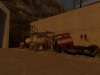
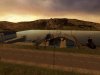
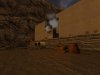
Almost complete

UK_Karlos

Newbie
Joined
Jan 26, 2006
Messages
158
Reaction score
0
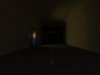
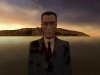
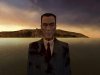
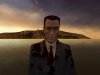
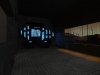
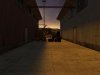
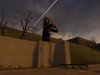
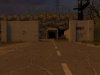
My first map of my mod is almost complete, but there are still a few major bugs that need to be fixed. but here are sime screen shots of it.
Please leave feedback and constructive critism about my map. An ideas will be great...
 

Attachments

  • pic1.jpg
    pic1.jpg
    20.4 KB · Views: 231
  • pic2.jpg
    pic2.jpg
    22.6 KB · Views: 225
  • pic3.jpg
    pic3.jpg
    48.4 KB · Views: 214
  • pic4.jpg
    pic4.jpg
    54.8 KB · Views: 230
  • pic5.jpg
    pic5.jpg
    55.7 KB · Views: 209
and some more.....
 

Attachments

  • pic6.jpg
    pic6.jpg
    55.8 KB · Views: 189
  • pic7.jpg
    pic7.jpg
    62.9 KB · Views: 177
  • pic8.jpg
    pic8.jpg
    68 KB · Views: 179
  • pic10.jpg
    pic10.jpg
    76.9 KB · Views: 212
  • pic12.jpg
    pic12.jpg
    85.4 KB · Views: 185
if anyone can tell me how to place pics over 100k on this form it would help...
 

Attachments

  • pic15.jpg
    pic15.jpg
    94.5 KB · Views: 233
  • pic16.jpg
    pic16.jpg
    95.1 KB · Views: 205
  • pic17.jpg
    pic17.jpg
    95.5 KB · Views: 204
What mod? Does its gameplay work well with a map like this?

A few of the shots, particularly here, seem flat and undetailed; and I know the GMan is hawt, but I should think he's unrelated to the look and feel of the map ;) I like this and this.
 
pics get better as they go along...some fillers i believe but it looks decent.

I'd say you can leave out the first two shots...
 
The mod currently has no name, but its kind of an extra chapter in HL2 just like Lost Coast.
As ive said it still need a bit of work in some areas like the tunnel in the first screen shot. And the 3D skybox in the background of the Gman i still carnt figure out how to work it properly. It sits above the water level. If there are any tutorials u know of that could help me with the skybox that would be great..
 
It looks a bit plain, so details would be good.

Lighting can be tweaked too..

Ad why'd you inlude three shots of pretty much nothing but GMan in there?
 
Yeh, but the problem right now is that the BSP or the BPS file is about 33mb now and i carnt seem to shrink the size of the file. I know displacements are big in size but i know how to delete the other faces of a displacement that are not showing in the game. A few pointers would be nice on how to shrink the size of my map (In MB)
 
if you are going to make a displacement, say a patch of grass, then you do the following.

1. Place a brush where you want the grass.
2. Make sure the brush is deselected.
3. Using the texture application tool select the one side you want.
4. Go to displacement tab and click create.

Since you are talking about displacements that aren't showing i would think that you are missing steps 2 and 3.

What you need to do then is to use your texture application tool and seect the useless sides, go to displacements and click destroy. They should dissapear then.
 
Back
Top