also can't create a .bsp

  • Thread starter Thread starter Bobo
  • Start date Start date
B

Bobo

Guest
Keep in mind I'm a nube at Hammer. Anyone have any insight on this? I'd appreciate any help at all, thanks!

Here is what the compiler says:


** Executing...
** Command: "c:\program files (x86)\steam\steamapps\gobbobo\sourcesdk\bin\vbsp.exe"
** Parameters: -game "c:\program files (x86)\steam\steamapps\gobbobo\counter-strike source\cstrike" "C:\Program Files (x86)\Steam\steamapps\gobbobo\sourcesdk_content\cstrike\mapsrc\Urban1"

Valve Software - vbsp.exe (Aug 4 2006)
2 threads
materialPath: c:\program files (x86)\steam\steamapps\gobbobo\counter-strike source\cstrike\materials
Loading C:\Program Files (x86)\Steam\steamapps\gobbobo\sourcesdk_content\cstrike\mapsrc\Urban1.vmf
Brush 5523: parsing plane definition
Side 0
Texture: BRICK/BRICKWALL032A


** Executing...
** Command: "c:\program files (x86)\steam\steamapps\gobbobo\sourcesdk\bin\vvis.exe"
** Parameters: -game "c:\program files (x86)\steam\steamapps\gobbobo\counter-strike source\cstrike" "C:\Program Files (x86)\Steam\steamapps\gobbobo\sourcesdk_content\cstrike\mapsrc\Urban1"

Valve Software - vvis.exe (May 22 2006)
2 threads
reading c:\program files (x86)\steam\steamapps\gobbobo\sourcesdk_content\cstrike\mapsrc\Urban1.bsp
Error opening c:\program files (x86)\steam\steamapps\gobbobo\sourcesdk_content\cstrike\mapsrc\Urban1.bsp

** Executing...
** Command: "c:\program files (x86)\steam\steamapps\gobbobo\sourcesdk\bin\vrad.exe"
** Parameters: -game "c:\program files (x86)\steam\steamapps\gobbobo\counter-strike source\cstrike" "C:\Program Files (x86)\Steam\steamapps\gobbobo\sourcesdk_content\cstrike\mapsrc\Urban1"

Valve Software - vrad.exe SSE (May 22 2006)
----- Radiosity Simulator ----
2 threads
[Reading texlights from 'lights.rad']
[1 texlights parsed from 'lights.rad']

Loading c:\program files (x86)\steam\steamapps\gobbobo\sourcesdk_content\cstrike\mapsrc\Urban1.bsp
Error opening c:\program files (x86)\steam\steamapps\gobbobo\sourcesdk_content\cstrike\mapsrc\Urban1.bsp

** Executing...
** Command: Copy File
** Parameters: "C:\Program Files (x86)\Steam\steamapps\gobbobo\sourcesdk_content\cstrike\mapsrc\Urban1.bsp" "c:\program files (x86)\steam\steamapps\gobbobo\counter-strike source\cstrike\maps\Urban1.bsp"

The command failed. Windows reported the error:
"The system cannot find the file specified."
 
this is what it looks like in hammer
hamdraw.JPG

and this is what it looks like in game...
gamedraw.JPG
 
(x86)\Steam\steamapps\gobbobo\sourcesdk_content\cstrike\mapsrc\Urban1.vmf
Brush 5523: parsing plane definition
Side 0
Texture: BRICK/BRICKWALL032A

i'm assuming this part here is the error. but what does it mean and how would i pinpoint that?
 
In hammer click on 'View' then click on "Go to brush number..." in the menu that pops up. Type in 5523 (the brush in your error) and it should take you to the problem. I'm not sure what that error message means but I'd imagine its something to do with texture. If a texture on the brush is overscaled or something you can fix it but otherwise you may need to delete the brush and create a new one.
 
great, thanks for the tip... now if only hammer would load my map again!

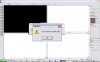
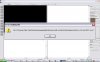
now when i load hammer up and then open my map file this happens:
 

Attachments

  • er1.JPG
    er1.JPG
    34.7 KB · Views: 170
  • er2.JPG
    er2.JPG
    37.6 KB · Views: 182
Well same concept here. Open up your .vmf in notepad, click on 'Edit' then click "Go to..." and enter line number 9897. Delete it and hopefully your map will load.
 
i'm sorry to be so retarded, and this is really frustrating. because computers is what i do and i'm almost MCSE certified. but i did like you said, opened the .vmf file in notepad... but the "Go to" option under Edit is greyed out. how can i possibly be doing this wrong?
 
One way or another, find line 9897 and check it. Can you see how it differs from the rest of the text document? Delete/replace what is different.

Or if you cant get it right...

Email to me @ [email protected]

I'll fix it.
 
Thanks Unarmed. E-mail sent, just be sure to let me know what changes you make.
 
Hello again folks!

I decided that instead of doing this for you Bobo I will post here a mini-tutorial for all of you to see.:afro:

I will be using 2 solids straight out of Bobos map, one good and one bad. With all due respect for your work bobo, letting the world know where 2 solids are and giving away 1 or 2 of your hammer settings doesn't really give away the whole map.

So, let us recap the issue at hand.

Error # 1.
Error # 2.

This tells us two things. Error 1 tells us that we have a solid that is messed up so that hammer cant read it properly. Error 2 states that said solid sits at line 9897 in our vmf.

So, here is how we fix. We open up our map in notepad, like I've done in this example. By misstake here i have added the .txt extension to the vmf. There is no need to do this, just load it in notepad without that.


Now we open up our go to line box or whatever its called in english. The box that allows you to go to a specific line (d'uh). In this box we type 9897 and notepad takes us to the start of our messy solid.

Now, here is another solid that BoBo created. A healthy solid.

Code:
solid
	{
		"id" "5832"
		side
		{
			"id" "2309"
			"plane" "(492 55 32) (272 55 32) (272 55 238)"
			"material" "BRICK/BRICKWALL032A"
			"uaxis" "[1 0 0 0] 0.25"
			"vaxis" "[0 0 -1 0] 0.25"
			"rotation" "0"
			"lightmapscale" "16"
			"smoothing_groups" "0"
		}
		side
		{
			"id" "2308"
			"plane" "(492 70 32) (492 55 32) (492 55 238)"
			"material" "BRICK/BRICKWALL032A"
			"uaxis" "[0 1 0 0] 0.25"
			"vaxis" "[0 0 -1 0] 0.25"
			"rotation" "0"
			"lightmapscale" "16"
			"smoothing_groups" "0"
		}
		side
		{
			"id" "2307"
			"plane" "(272 70 32) (492 70 32) (492 70 238)"
			"material" "BRICK/BRICKWALL032A"
			"uaxis" "[1 0 0 0] 0.25"
			"vaxis" "[0 0 -1 0] 0.25"
			"rotation" "0"
			"lightmapscale" "16"
			"smoothing_groups" "0"
		}
		side
		{
			"id" "2306"
			"plane" "(288 71 116) (358 71 116) (358 54 116)"
			"material" "BRICK/BRICKWALL032A"
			"uaxis" "[1 0 0 0] 0.25"
			"vaxis" "[0 -1 0 0] 0.25"
			"rotation" "0"
			"lightmapscale" "16"
			"smoothing_groups" "0"
		}
		side
		{
			"id" "2305"
			"plane" "(358 54 116) (358 54 84) (358 71 84)"
			"material" "BRICK/BRICKWALL032A"
			"uaxis" "[0 1 0 0] 0.25"
			"vaxis" "[0 0 -1 0] 0.25"
			"rotation" "0"
			"lightmapscale" "16"
			"smoothing_groups" "0"
		}
		side
		{
			"id" "2304"
			"plane" "(472 54 115) (472 71 115) (402 71 115)"
			"material" "BRICK/BRICKWALL032A"
			"uaxis" "[1 0 0 0] 0.25"
			"vaxis" "[0 -1 0 0] 0.25"
			"rotation" "0"
			"lightmapscale" "16"
			"smoothing_groups" "0"
		}
		editor
		{
			"color" "220 220 220"
			"groupid" "5844"
			"visgroupshown" "1"
			"visgroupautoshown" "1"
		}
	}

And here is bobs messy solid.

Code:
solid
	{
		"id" "5523"
		side
		{
			"id" "2256"
			"plane" "(-1.#IND -1.#IND 116) (-1.#IND -1.#IND 116) (-1.#IND -1.#IND 116)"
			"material" "BRICK/BRICKWALL032A"
			"uaxis" "[0.00872656 -1 0 298.477] 0.25"
			"vaxis" "[-1 -0.00872656 0 -212.5] 0.25"
			"rotation" "0"
			"lightmapscale" "16"
			"smoothing_groups" "0"
		}
		side
		{
			"id" "2257"
			"plane" "(-1.#IND -1.#IND 84) (-1.#IND -1.#IND 84) (-1.#IND -1.#IND 84)"
			"material" "BRICK/BRICKWALL032A"
			"uaxis" "[0.00872656 -1 0 298.477] 0.25"
			"vaxis" "[-1 -0.00872656 0 -212.5] 0.25"
			"rotation" "0"
			"lightmapscale" "16"
			"smoothing_groups" "0"
		}
		side
		{
			"id" "2258"
			"plane" "(-1.#IND -1.#IND 116) (-1.#IND -1.#IND 116) (-1.#IND -1.#IND 84)"
			"material" "BRICK/BRICKWALL032A"
			"uaxis" "[1 0.00872656 0 212.5] 0.25"
			"vaxis" "[0 0 -1 4] 0.25"
			"rotation" "0"
			"lightmapscale" "16"
			"smoothing_groups" "0"
		}
		side
		{
			"id" "2259"
			"plane" "(-1.#IND -1.#IND 84) (-1.#IND -1.#IND 84) (-1.#IND -1.#IND 116)"
			"material" "BRICK/BRICKWALL032A"
			"uaxis" "[1 0.00872656 0 212.5] 0.25"
			"vaxis" "[0 0 -1 4] 0.25"
			"rotation" "0"
			"lightmapscale" "16"
			"smoothing_groups" "0"
		}
		side
		{
			"id" "2260"
			"plane" "(-1.#IND -1.#IND 116) (-1.#IND -1.#IND 116) (-1.#IND -1.#IND 84)"
			"material" "BRICK/BRICKWALL032A"
			"uaxis" "[0.00872656 -1 0 298.477] 0.25"
			"vaxis" "[0 0 -1 4] 0.25"
			"rotation" "0"
			"lightmapscale" "16"
			"smoothing_groups" "0"
		}
		side
		{
			"id" "2261"
			"plane" "(-1.#IND -1.#IND 84) (-1.#IND -1.#IND 84) (-1.#IND -1.#IND 116)"
			"material" "BRICK/BRICKWALL032A"
			"uaxis" "[0.00872656 -1 0 298.477] 0.25"
			"vaxis" "[0 0 -1 4] 0.25"
			"rotation" "0"
			"lightmapscale" "16"
			"smoothing_groups" "0"
		}
		editor
		{
			"color" "0 138 167"
			"visgroupshown" "1"
			"visgroupautoshown" "1"
		}
	}

Now, if you know programming this should make sense. If you don't then dont despair. Look at the sides of both solids, look at the line that says plane. In the healty solid there are nice numers here. In the unhealthy there are gibberish. If you know what should go here (which you never do) you can replace that. Otherwise the fix is simply deleteing the unhelathy solid.

Here is a picture (as if you'd need it.)


Bad solid planes in green circles, good solid planes in purple. Also shows the goto box and whatnot.

Now you know what to search for and how to fix it! Once that is done hammer should load up the map. If you have another messy solid then hammer will give you a new line and you'll just have to repeat the procedure.

Happy fixing, Bobo and the rest of you.:thumbs:

//Unarmed

EDIT: Bobo, you have a lot of things that are not snapped to grid in your map. This is bad.
 
Thanks a ton Unarmed. I actually found that having word wrap turned on disables the Go To menu in Notepad. Then I was able to find the correct line, which led me to deleting the whole solid like you said. Your post now makes me feel better than I did the right thing.

NOTE: any specifics for example that aren't snapped and could you tell me how to snap everything?
 
No worries.

I havent opened you map in Hammer only notepad so I cant tell you which ones are off grid. And now its deleted.

If you open up your map in notepad you will see some plane coordinates that are not even numbers = brushes of the grid.

The fix is to load up you map in hammer, select everytihng and then select "snap selected to grid". Then you need to look around a bit incase hammer has done something stupid and given you some leaks.

//Unarmed
 
so after thinking about it, there are some brushes in the map that are in weird angles. as in not everything is a perfect box or a perfect circle. some things are rotated, stretched, and skewed. could these things be the cause?
 
Back
Top